Right-Sizing the Cloud: Stop Paying for Idle

Provisioned is not the same as used
The cloud's promise was paying only for what you use. In practice, most organizations pay for what they provisioned — which is almost always more than they consume. Someone picked an instance size to be safe, spun up a test environment for a project that shipped last year, or attached a fast storage tier to data nobody reads anymore. None of it was wrong at the time. It just never got revisited, and the meter kept running.
Right-sizing is the discipline of closing that gap: matching what you pay for to what the workload actually needs. This is a starter guide — a first pass any team running on cloud infrastructure can complete in a few weeks to recover the obvious waste. It sits alongside two deeper efforts: the performance-sensitive work of tuning individual workloads without hurting latency, and the broader FinOps operating model that keeps spend under control long term. Here we focus on the fundamentals: how to find idle capacity, what to measure, and how to trim it across the three levers that matter most. A first pass over a neglected estate commonly recovers 20 to 40 percent with no change users can feel.
Where the waste hides
Before touching anything, take an inventory. Nearly every inflated bill is some mix of the same failure modes, and you can spot most of them in an afternoon with the provider's own cost and usage tools.
- Idle instances. Servers running around the clock at 2 to 10 percent CPU. The most common culprits are non-production environments — development, test, and staging — that run 168 hours a week but are used maybe 50. Nights and weekends are pure waste, often a third or more of non-production spend.
- Over-provisioned instances. Machines sized for a peak that never arrives, or copied from a template someone chose years ago. CPU hovers at 15 percent and half the memory sits unused, but you pay for the whole envelope.
- Orphaned storage and volumes. Block volumes detached from any server, old snapshots, and stale machine images that keep billing indefinitely. Each is small; together they compound quietly for years because nobody owns them.
- Unattached IP addresses. Reserved public IPs that are allocated but pointed at nothing. Most providers charge for a static address precisely when it is not in use, so idle ones are a recurring line item for zero value.
- Oversized databases. Managed database instances provisioned for headroom that never materialized, over-provisioned storage IOPS bought "to be safe," and read replicas nobody queries. Databases are often the single largest line item, so a right-size here moves the bill more than a dozen small instances.
Measure before you cut
The mistake that turns right-sizing into an outage is cutting on a hunch or a single screenshot. Capacity decisions have to be driven by real numbers over a real window.
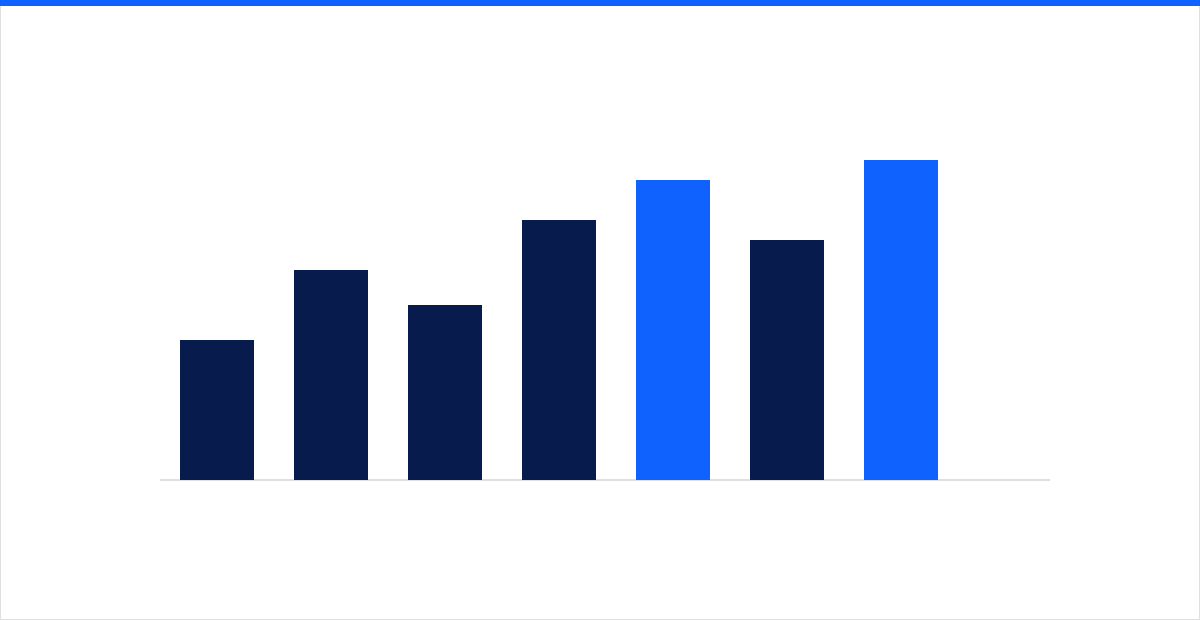 Averages hide the peaks that matter — size against the p95, not the mean.
Three ideas carry most of the weight:
- Utilization, not uptime. A server being "on" tells you nothing. What matters is how hard it works — CPU, memory, disk throughput, and network. If a host averages under 20 percent CPU and its memory is half-idle across a full week, it is a candidate to shrink.
- The p95, not the average. Averages lie. A host that averages 18 percent CPU can still be pinned at 100 percent every weekday at 9 a.m. Look at the 95th-percentile utilization — the level exceeded only 5 percent of the time — and size so that p95 lands comfortably below the new instance's ceiling. That leaves room for the spikes the average erases.
- A representative window. Measure at least two to four weeks, and make sure the window includes your real peaks — a month-end close, a marketing push, a batch run. Size off a quiet Tuesday and you will regret it the first busy Monday.
You cannot make these calls from memory. Continuous infrastructure monitoring is the prerequisite: it supplies the percentile data and, just as important, the before-and-after baseline that proves a change was safe rather than merely cheaper.
Three levers: compute, storage, commitments
With numbers in hand, right-sizing comes down to three moves. Work them in order.
Compute. Match the machine to the measured profile. That means both the size (fewer vCPUs or less memory when the data supports it) and the family — compute-, memory-, or general-purpose, chosen to fit the shape of the workload. Picking the wrong family wastes more than picking the wrong size within one. Then schedule the easy win: automatically stop non-production environments outside working hours. An environment that runs 50 hours a week instead of 168 costs roughly 70 percent less, with zero impact because nobody is using it while it is off.
Storage. Push cold data down the tiers. Hot, frequently accessed data belongs on fast storage; logs, backups, and archives belong on cheaper cool or archive classes, aged down automatically by a lifecycle policy so you are not paying premium rates for files nobody opens. While you are there, delete the orphans — unattached volumes, stale snapshots, and unused images — and right-size any database storage and IOPS that were over-provisioned out of caution.
Commitments. Only after the estate is clean and right-sized should you buy discounts. Reserved instances and savings plans trade a one- or three-year commitment for 30 to 70 percent off, but they lock you to a capacity level. Commit to your steady-state baseline — the floor that is always running — and leave the variable top layer on on-demand rates. Buy commitments before right-sizing and you simply lock in the waste. This sequencing matters most on public cloud estates, where the discount menu is deep enough to tempt teams into committing early.
Make it a habit, not a one-off
The single biggest mistake is treating right-sizing as spring cleaning. Demand drifts, code ships, teams launch new services, and an estate you tidied in January re-inflates by summer. The fix is a light standing loop, not a heroic annual project:
- Measure utilization continuously so the data is always there when you need it.
- Review a short list of the top candidates by dollar impact once a month.
- Change one thing at a time — a size, a schedule, a tier — in a lower environment first, then verify it held before moving on.
- Sweep for orphaned volumes, snapshots, and idle IPs on a schedule.
- Revisit commitments quarterly as the baseline moves.
Thirty minutes a month keeps recovered savings from leaking back. Skip it, and you will be running the same first-pass cleanup a year from now against a bigger bill.
Start with one account
You do not need a formal program to begin. Point the provider's cost tools at your largest account, pull two weeks of utilization, and list the ten most expensive resources running under 20 percent. That single list usually pays for the whole exercise. From there, the habit — measure, trim, repeat — keeps the bill honest as you grow.
If you would rather have someone baseline your utilization, model the right-sizing moves, and prove the headroom before anything changes, talk to our cloud team. We will show you exactly where your cloud spend is going to idle capacity — and what it takes to stop it.