Power Over Ethernet: Designing the Powered Network
The switch became a power plant
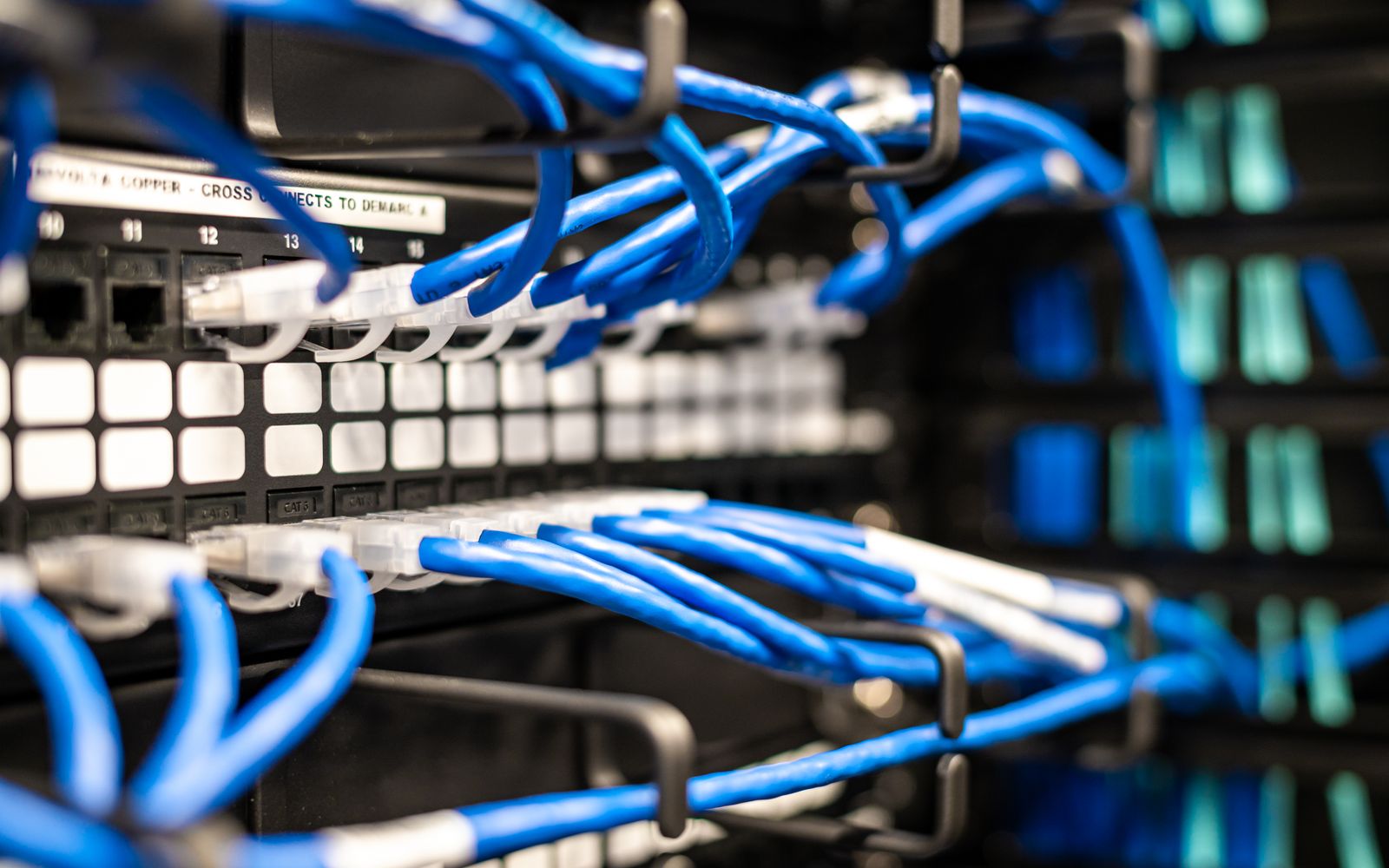
Somewhere along the way the network switch stopped being only a data device and became the building's low-voltage power distribution system. Phones, wireless access points, security cameras, badge readers, LED lighting, digital signage, room sensors, and increasingly thin clients all draw their power from the same Ethernet cable that carries their data. Power over Ethernet made that possible, and it is genuinely elegant: one cable, one termination, no electrician, no outlet, and — when the switch is on a UPS — powered devices that ride through an outage the wall socket would not.
The elegance hides a real engineering discipline. A switch feeding a hundred access points and cameras is delivering serious wattage, and the questions that go unanswered until something browns out are all about budget, heat, and cabling. Designing a powered network means treating the switch plant as a power system with a finite supply, not an infinite one — because when the power budget runs out, devices quietly fail to boot and nobody connects the dots to the switch.
One cable, standardized power
PoE works by putting DC power on the same twisted-pair cable as the data, and the reason it is safe and interoperable is a careful IEEE standard that negotiates before delivering any real power:
- Detection and classification. Before energizing a port, the switch (the PSE, Power Sourcing Equipment) probes the attached device (the PD, Powered Device) to confirm it is a valid PoE load and to learn its power class. Only then does it apply full power. This handshake is why plugging a normal laptop into a PoE port does not fry it — the switch never sees a valid signature and never energizes.
- The standards ladder. Each IEEE revision raised the ceiling:
| Standard | Common name | PSE watts/port | Typical uses |
|---|---|---|---|
802.3af | PoE | ~15.4 W | VoIP phones, basic APs, simple sensors |
802.3at | PoE+ | ~30 W | Higher-power APs, PTZ cameras |
802.3bt Type 3 | PoE++ / 4PPoE | ~60 W | Multi-radio APs, video phones, small displays |
802.3bt Type 4 | PoE++ / 4PPoE | ~90–100 W | Signage, thin clients, powered devices at the edge |
- Two pairs or four. The older standards deliver power over two of the four
twisted pairs;
802.3btuses all four pairs (4PPoE), which is how it reaches the higher wattages while keeping current per conductor manageable.
A crucial subtlety: there is always a gap between the watts the switch sources at the port and the watts the device actually receives, because the cable itself dissipates some as heat over its run. Design to the delivered figure at the far end of a real-world run, not the headline PSE number, or long cable runs will leave high-draw devices under-powered.
The power budget is a hard limit
The single most common PoE design mistake is confusing per-port capability with
whole-switch capacity. A switch may advertise 802.3bt on every port, but its
internal power supply has a fixed total budget, and that budget is frequently far
less than the sum of every port running at maximum. A 48-port switch does not
necessarily carry 48 ports of 90 W — that would be over 4 kilowatts, more than most
access switches supply.
Design to the budget deliberately:
- Add up real draw, not port maximums. Sum the actual class of every device you intend to power, add margin, and compare against the switch's stated PoE budget — not against the number of ports times the maximum class.
- Watch redundant power supplies. Many switches only reach their full PoE budget with both supplies installed. Size for the failure case: if one supply dies, the switch may shed power to lower-priority ports, and you want to choose which ones drop rather than discover it during an outage.
- Set port power priority. Most switches let you rank ports so that when the budget is exceeded, the switch de-energizes cameras or signage before it drops the access points and phones people are actively using.
- Plan for growth. Powered-device counts only ever climb. Leaving PoE headroom is cheaper than a forklift upgrade when the next wave of cameras arrives.
Heat and cable are part of the design
Pushing power through copper has physical consequences that a data-only design never had to think about:
- Cable heating. Current flowing through the conductors warms the cable, and in a
densely packed bundle in a conduit or tray, the bundle's core runs hotter than its
surface. Excess heat raises insertion loss and can, in extreme cases, degrade
insulation over time. High-power
802.3btdesigns should follow guidance on bundle size and prefer higher-grade cable (Cat 6/6A) for better heat behavior and lower resistance on long or high-draw runs. - Cable quality and length. The 100-meter channel limit still applies, and on long runs the resistive voltage drop is what starves a far-end device. Cheap or copper-clad-aluminum cable has higher resistance and both wastes power as heat and delivers less to the device. Structured cabling is where a powered network quietly succeeds or fails.
- Closet thermal load. A switch delivering a kilowatt-plus of PoE is also dissipating meaningful heat itself, on top of the powered devices. Wiring closets that were fine for data-only switches may need real cooling once they become power distribution points — an overheated closet takes the switch, and everything it powers, down together.
Operate it, don't just install it
A powered network is a living system, and once critical infrastructure depends on it, you manage it like any other power source. Visibility is what turns PoE from a mystery into a controllable resource:
- Monitor consumption and budget headroom per switch so you see a plant approaching its limit before it starts shedding ports.
- Alert on power-denied events, which are the switch's own signal that a device asked for power the budget could not grant — the earliest warning of over-subscription.
- Track per-port draw to catch a failing device pulling anomalous current or a cable fault.
- Use PoE for graceful recovery. Because the switch controls each port's power, a hung PoE device — a frozen camera or access point — can be remotely power-cycled by bouncing its port, turning a truck roll into a click. Pair that with infrastructure monitoring and the powered edge becomes something you diagnose and recover from your desk.
Do not forget resilience: powered devices are only as available as the switch feeding them. Put PoE switches on UPS (and generator where warranted) so that phones, access points, and cameras — the very things you need most during a power event — stay up when the building's outlets go dark.
Where to start
Begin with an honest device inventory: what you power today, its power classes, and what is coming — because every camera and access-point refresh raises the draw. From there, size the switch plant to the real summed load with margin and redundancy, not to port maximums, and specify structured cabling good enough to deliver full power at the far end of the longest run. Put the PoE switches on protected power, set port priorities so the right devices survive a budget shortfall, and monitor consumption and power-denied events so the plant tells you before it runs out. Power over Ethernet is one of the highest-leverage conveniences in modern networking, and it repays a little engineering discipline with years of quiet reliability. intSignal designs powered networks — switch plant, cabling, and power resilience together — that carry the load without surprises. Talk to our team to design a network that powers what your business runs on.