Intelligent Document Processing: From Paper to Structured Data

Why OCR was never the finish line
Optical character recognition solved one narrow problem: turning pixels of text into a string of characters. That was never the hard part of back-office work. The hard part is understanding what the document is, finding the fields that matter inside a layout you have never seen before, checking that the values make sense, and getting the result into a system of record without a person retyping it. OCR hands you a wall of text. It does not tell you that this is a supplier invoice, that the total is 4,812.60, that it does not match the sum of the line items, or that the purchase order number is missing entirely.
Intelligent document processing (IDP) is the layer that does. It wraps OCR — or increasingly, layout-aware models that read text and structure together — in a pipeline that classifies, extracts, validates, and routes. The goal is straight- through processing: a document arrives, the system reads it, confirms it, and posts it with no human touch, while the exceptions that genuinely need judgment get surfaced to a person. That combination of automation for the routine and review for the ambiguous separates a durable IDP program from a demo that reads clean PDFs and falls over on a phone photo of a crumpled receipt.
The IDP pipeline, stage by stage
A production IDP system is a sequence of stages, each with its own failure modes and quality metric. Treating it as a single "AI reads the document" box is how projects stall.
- Ingestion and capture. Documents arrive as scans, emails, uploads, faxes, and photos, in wildly varying quality. Deskewing, denoising, and resolution normalization here pay off at every later stage.
- Classification. Before you can extract anything, you have to know what the document is — invoice, remittance, W-9, insurance certificate. A classifier that is wrong here poisons everything downstream.
- Extraction. The core step: pull the fields that matter. Modern models read layout and text jointly, finding the invoice total whether it sits top-right, bottom, or in a table, without a hand-drawn template per vendor.
- Validation. Extracted values are checked against business rules and external sources — does the line-item math foot, does the vendor exist in the master, is the date plausible, does the PO number resolve.
- Human review. Anything below a confidence threshold, or that fails validation, is routed to a person who corrects it in a review interface.
- Export and posting. Clean, structured data flows into the ERP, the claims system, the CRM, or the data warehouse through an integration.
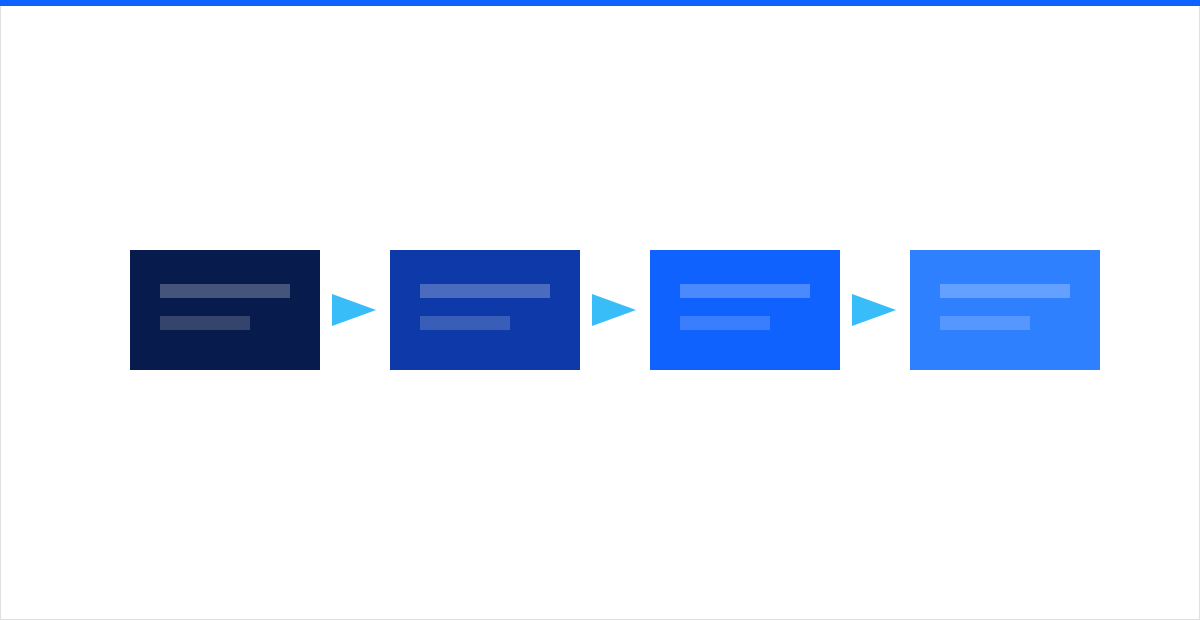 Figure: each stage has its own accuracy metric — a weak classifier quietly caps everything the extractor and validator can achieve downstream.
Measuring each stage separately is what lets you improve the system. If straight-through processing is low, the fix differs depending on whether classification is misrouting documents, extraction is missing fields, or validation rules are too strict and kicking out clean documents. This staged, instrumented approach is the same one our machine learning and AI practice applies to any production model: measure the pipeline, not just the headline accuracy.
Where IDP earns its budget
IDP pays off fastest where the same document type flows in high volume and a person is currently keying it by hand. The clearest wins:
- Accounts payable invoices. The canonical use case. Vendors send thousands of invoices in hundreds of layouts. IDP extracts header and line-item data, matches it to purchase orders and receipts (two- and three-way matching), and posts the clean ones automatically — a process that took a clerk minutes per invoice drops to seconds, with review reserved for mismatches.
- Forms and applications. Onboarding paperwork, claims forms, loan applications, tax documents, and government forms are semi-structured and high-volume — a strong fit because the fields are known even when the handwriting and scan quality are not.
- Contracts and agreements. Extracting parties, effective dates, renewal terms, liability caps, and governing law from long, unstructured agreements turns a legal-review bottleneck into a searchable, auditable dataset.
- Employee and customer onboarding. IDs, proof-of-address documents, and signed forms are captured, verified, and filed in a single intake flow instead of a manual back-and-forth over email.
The common thread is repetition with variation: enough volume to justify the build, enough layout variety that a rigid template approach would collapse. This work sits alongside the broader data analytics and computer vision capabilities that read images and unstructured content across the enterprise.
Human-in-the-loop and confidence thresholds
No IDP system should aim to eliminate humans. It should aim to spend them well. The mechanism is a per-field confidence score attached to every extraction, and a threshold that decides what posts automatically versus what a person reviews.
- Above the threshold, the field posts straight through. Set the bar where the error you would accept is genuinely tolerable for that field.
- Below the threshold, the document lands in a review queue where a person sees the extracted value next to the source image, corrects it, and approves.
- Failed validation — line items that do not foot, an unknown vendor, an impossible date — routes to review regardless of confidence.
Two design choices make this work. First, tune thresholds per field, not globally: a wrong invoice total is expensive, a wrong purchase-description string often is not, so they deserve different bars. Second, capture every correction. When a reviewer fixes a field, that correction is a labeled example you did not have to pay for, and feeding it back is how the model improves on exactly the documents it currently struggles with — the system gets more autonomous over time instead of plateauing.
The metrics that actually matter
"Accuracy" alone is a trap, because it hides which stage is failing and which fields matter. Track a small set of operational numbers instead:
- Straight-through processing (STP) rate. The share of documents that complete with zero human touch. This is the headline business metric — it maps directly to labor saved.
- Field-level extraction accuracy. Measured per field on a held-out set, so you know your total is right 99 percent of the time even if a minor field lags. Weight it by the cost of getting each field wrong.
- Classification accuracy. Because a misrouted document corrupts everything after it.
- Exception rate and review time. How many documents hit the queue, and how long a reviewer spends on each — the real cost of the non-automated tail.
Set targets directionally and let them ramp. A new deployment starts lower and climbs as feedback accumulates and validation rules mature. The goal is a rising STP curve with field accuracy holding on the fields that carry financial or compliance risk.
Fitting IDP into real workflows
An extraction model that produces a JSON blob nobody consumes is a science project. The value lands only when the structured output flows into the systems where work actually happens — the ERP for invoices, the claims platform for forms, the CRM for onboarding. Plan the integration and the exception-handling workflow before you tune the model:
- Define the connector that posts clean records, and the fallback when a record cannot post.
- Design the review queue as a first-class interface — reviewers are the ones who make the system trustworthy.
- Decide where a rejected document goes and who owns it.
Running that end to end reliably — the queues, the integrations, the support when a batch fails at 2 a.m. — is an operations problem as much as a model one, and it is where our complete IT support practice keeps document pipelines healthy in production rather than in a pilot.
Data privacy and governance
Documents are among the most sensitive data an organization holds: invoices expose commercial terms, forms and IDs expose personal information, contracts expose obligations. An IDP pipeline touches all of it, so governance is not optional:
- Minimize and retain deliberately. Keep the structured fields you need and set a defined retention on the source images rather than hoarding them.
- Encrypt and control access to documents, extracted data, and the review queue with the same rigor as any regulated data store.
- Log and audit every extraction, correction, and export so you can prove who saw what and how a value was derived.
- Redact where required, and be deliberate about whether documents leave your boundary for processing — many use cases can and should run inside your own environment.
Because IDP concentrates sensitive fields into one place, it belongs under a proper data loss prevention posture, with classification, access controls, and monitoring around the extracted data — not just the original files.
Getting started
The projects that succeed start narrow: one document type, one high-volume workflow, a confidence threshold, a review queue, and an STP number to move. Prove it on invoices or a single form, wire the corrections back into the model, and expand the pattern once the metrics hold. intSignal designs and runs intelligent document processing end to end — classification and extraction models, validation rules, human-in-the-loop review, integration, and the privacy controls to deploy it responsibly. Talk to our AI team and we will help you pick the document workflow that pays for itself first.